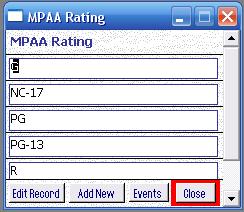
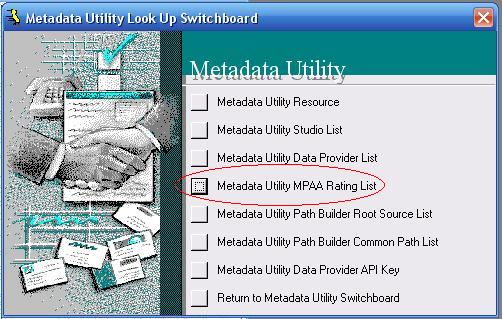
Metadata Utility comes with a Pre-Build List of the MPAA (Motion Picture Association of America).
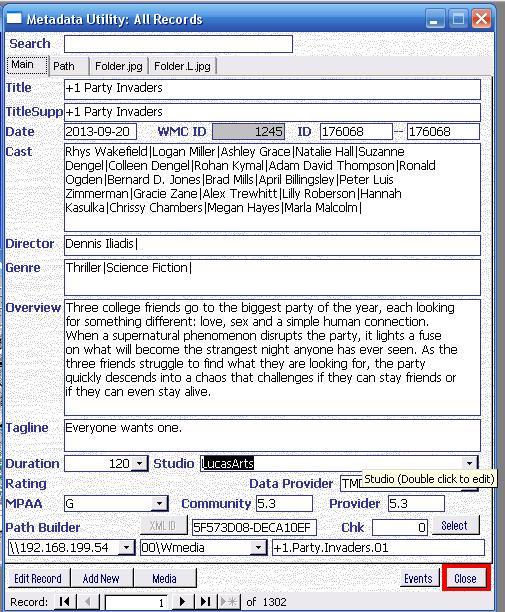
If you want to add/Edit the MPAA Rating List (either add your own Rating System an/or add the particular Rating system in the country you live), then you can always Double Click on the MPAA Rating Field to Open the MPAA Rating List and Edit, Add, Studios as needed.
Note: If you overwrite, rename or delete a MPAA Rating, then keep in mind that MPAA Rating, if it has already been linked to any of your movies, then that Data Provider will be also lost (or edited) for all movies linked to it (Remember Metadata utility is an RDBMS. Since all Data is linked, if you change one record, you can potentially affect many other records).
We recommend, that you don’t Delete a Data Provider, but better Add more, if needed.
You can add up to 5399 MPAA Rating before Metadata Utility will require additional action : ).
While ‘MPAA Rating’ Key is opened you won’t be able to click on any other Windows that may be opened in the background. Close ‘MPAA Rating’ Key to be able to go back to any other opened windows that may be opened in the background inside ‘Metadata Utility.
Note: Use extreme caution before deleting ANY MPAA Rating from the list as a deletion of a MPAA Rating will also delete that MPAA Rating Information from ALL Records that were linked to that MPAA Rating. This also applies to renaming an existing MPAA Rating. If you rename an existing MPAA Rating in the list, then all records linked to that MPAA Rating will automatically also be updated.
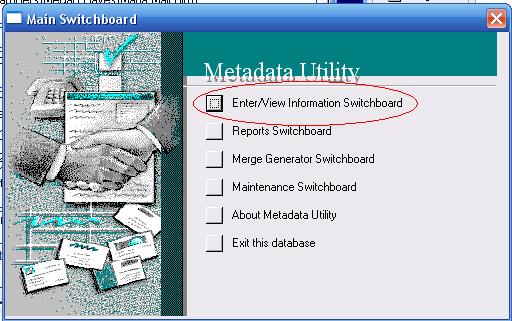
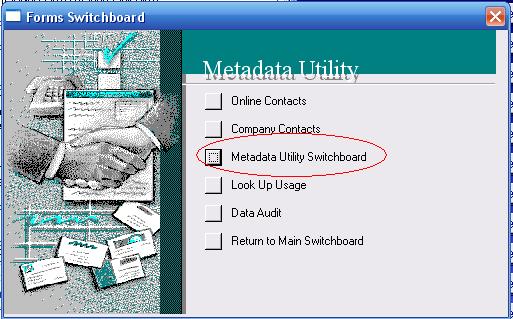
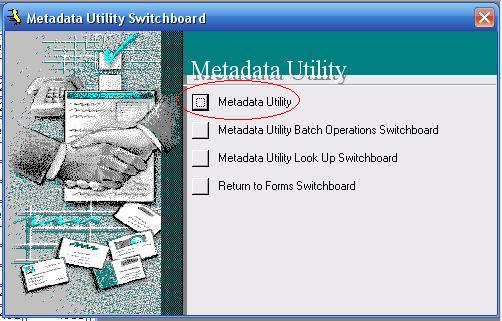
MPAA Rating List Management via Main Switchboard’s Main Interface