Studio List Management

< All Topics
Metadata Utility – Studio List

Enables the Ability to Manage, ie. Edit, Add, etc the list of Studios

There are 2 methods how to access the Studio List:

– Directly via Metadata Utility’s Main Interface

– Directly via the Switchboard Management Interface

Studio List: Management via Metadata Utility’s Main Interface


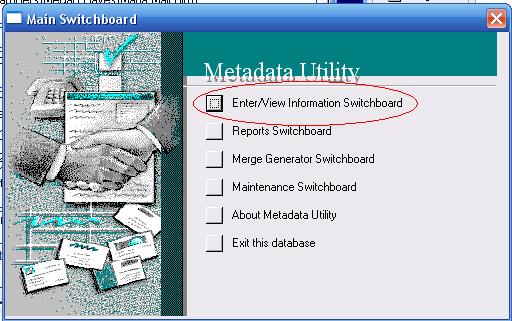
From the Main Switchboard, click on ‘Enter/View Information Switchboard’

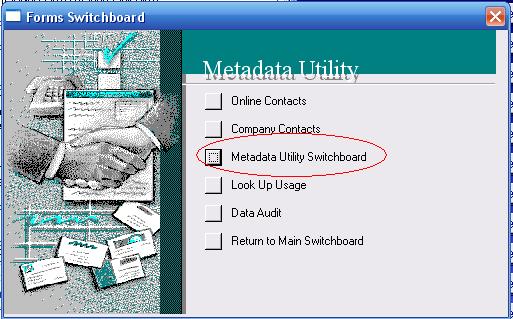
click on ‘Metadata Utility Switchboard’

Metadata Utility – Main Switchboard
Metadata Utility – Forms Switchboard

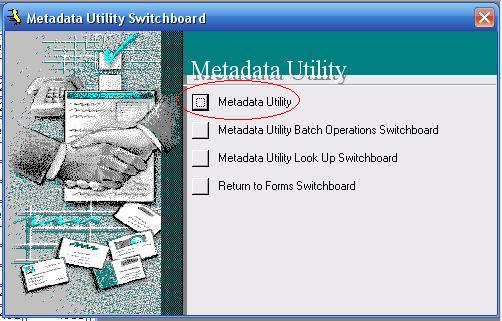
click on ‘Metadata Utility’

Metadata Utility – Main Interface

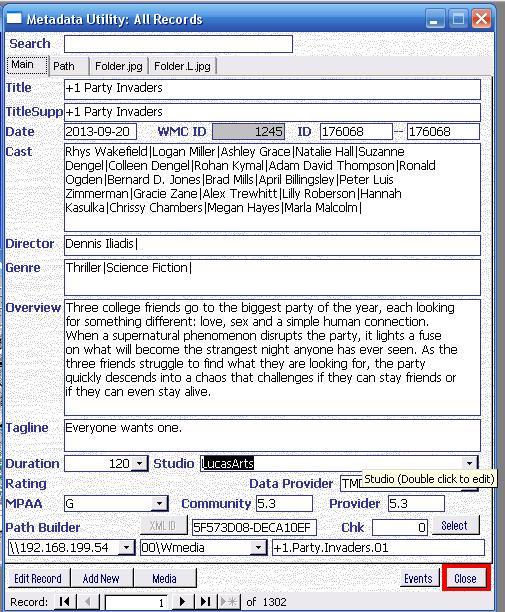
Once Metadata Utility’s Main Interface is opened, then search for a Movie (or Show), then double click on the ‘Studio’ Drop Down Field to Open the Studio List Management

Metadata Utility – Main
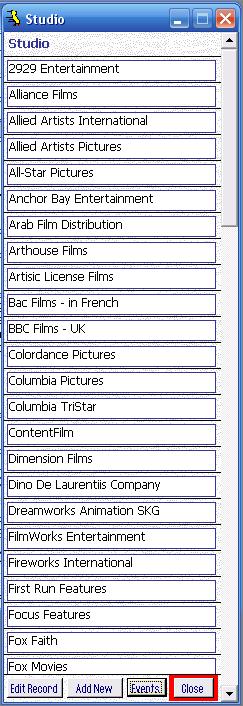
Metadata Utility – Studio List

Metadata Utility comes with a Pre-Build List of approximately 200+ of the most commonly known Studios.
If you have a movie in which the Studio is not in the list, you can always Double Click on the Studio Field to Open the Studio List and Edit, Add, Studios as needed.
Note: If you overwrite, rename or delete a Studio Name, then keep in mind that any existing record in Metadata Utility that had that Studio linked, than those movies will automatically be updated with the change (and/or deletion) of the Studio that you just made (Remember Metadata utility is an RDBMS. Since all Data is linked, if you change one record, you can potentially affect many other records).
We recommended, that you don’t Delete Studios, but better Add more, if needed.
‘Out of the box’ Metadata Utility comes with approximately 5399 pre-allocated of Records, out of which, in the case of the ‘Studio’ List only 200+ are in use, thus leaving plenty records available for further use before Metadata Utility will require additional action to increase the number of possible Studios available : ).

While the ‘Studio’ List is opened you won’t be able to click on any other Windows that may be opened in the background. Close ‘Studio’ List to be able to go back to any other opened windows that may be opened in the background inside ‘Metadata Utility.

Note: Use extreme caution before deleting ANY existing Studios from the list as a deletion of a Studio will also delete that Studio Information from ALL Records that were linked to that Studio. This also applies to renaming an existing Studio. If you rename an existing Studio in the list, then all records linked to that Studio will automatically also be updated.

Studio List Management via the Switchboard Management Interface
 

From the Main Switchboard, click on ‘Enter/View Information Switchboard’

click on ‘Metadata Utility Switchboard’

Metadata Utility – Main Switchboard
Metadata Utility – Forms Switchboard

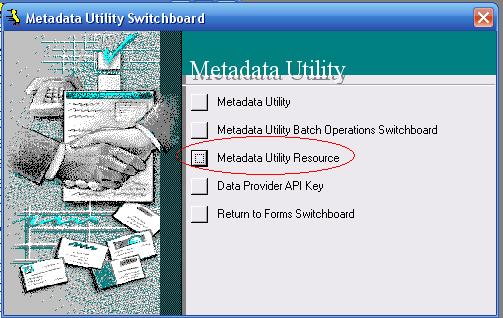
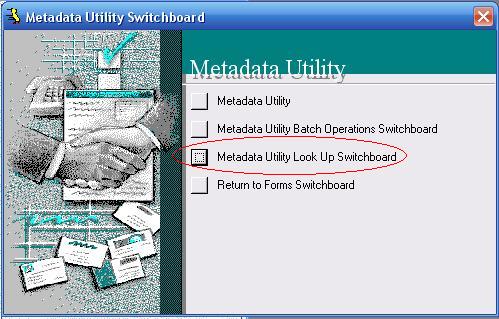
click on ‘Metadata Utility Look Up Switchboard’

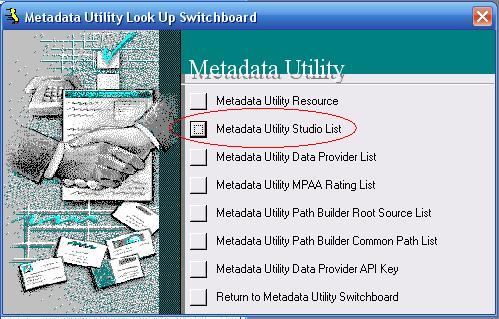
‘Metadata Utility Studio List’

Metadata Utility – Look Up Switchboard
Metadata Utility – Studio List

Metadata Utility comes with a Pre-Build List of approximately 200+ of the most commonly known Studios.
If you have a movie in which the Studio is not in the list, you can always Double Click on the Studio Field to Open the Studio List and Edit, Add, Studios as needed.
Note: If you overwrite, rename or delete a Studio Name, then keep in mind that any existing record in Metadata Utility that had that Studio linked, than those movies will automatically be updated with the change (and/or deletion) of the Studio that you just made (Remember Metadata utility is an RDBMS. Since all Data is linked, if you change one record, you can potentially affect many other records).
We recommended, that you don’t Delete Studios, but better Add more, if needed.
‘Out of the box’ Metadata Utility comes with approximately 5399 pre-allocated of Records, out of which, in the case of the ‘Studio’ List only 200+ are in use, thus leaving plenty records available for further use before Metadata Utility will require additional action to increase the number of possible Studios available : ).

While the ‘Studio’ List is opened you won’t be able to click on any other Windows that may be opened in the background. Close ‘Studio’ List to be able to go back to any other opened windows that may be opened in the background inside ‘Metadata Utility.

Note: Use extreme caution before deleting ANY existing Studios from the list as a deletion of a Studio will also delete that Studio Information from ALL Records that were linked to that Studio. This also applies to renaming an existing Studio. If you rename an existing Studio in the list, then all records linked to that Studio will automatically also be updated.

Select your currency
EUREuro